

Contents
A practical, human-first review of Evernote in 2025 covering what it does, how it works, pricing, security, five core features that matter day to day, real pros and cons, smart alternatives, and whether users should still recommend it.
Evernote’s pitch is simple. Put your notes, tasks, and calendar in one place so you can capture ideas fast and find them later without digging. In 2025, the app feels more purposeful than in the past. The interface is cleaner, the editor is snappier, and new AI touches help you summarize, search, and organize while you focus on real work. If you tried Evernote years ago and moved on, it is worth a fresh look because the cadence of improvements has picked up and the product is more opinionated about helping you plan and execute, not only collect notes.
Features of Evernote
1) Notes that behave like workspaces, not scratchpads
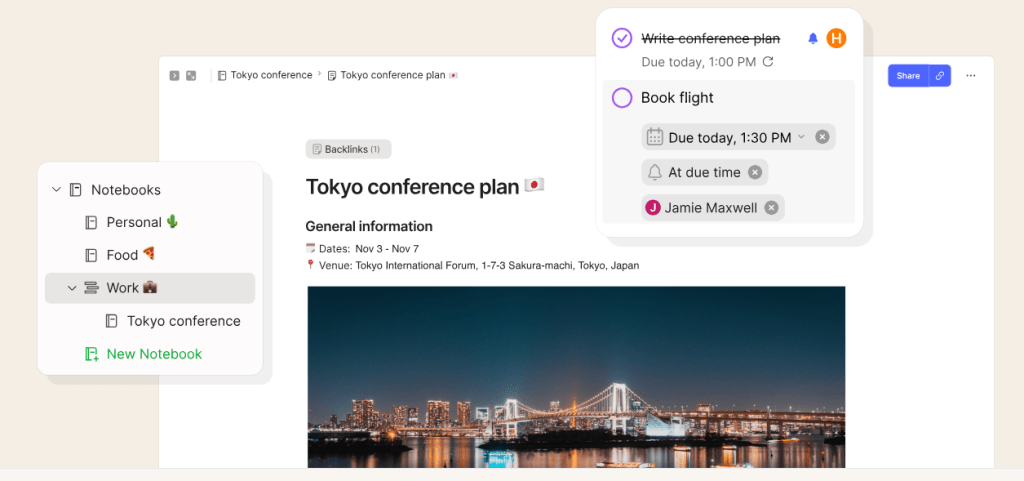
The current editor is fast and flexible. You can drop in text, lists, images, PDFs, audio, and clipped web content and keep everything in one note. The note list can be shown for quick hopping or hidden for a clean writing canvas, and full-screen mode helps you focus when you draft longer pieces. For recurring formats like meeting minutes or briefs, the redesigned templates experience makes starting faster than building layouts from scratch every time.
2) Tasks that live inside your notes
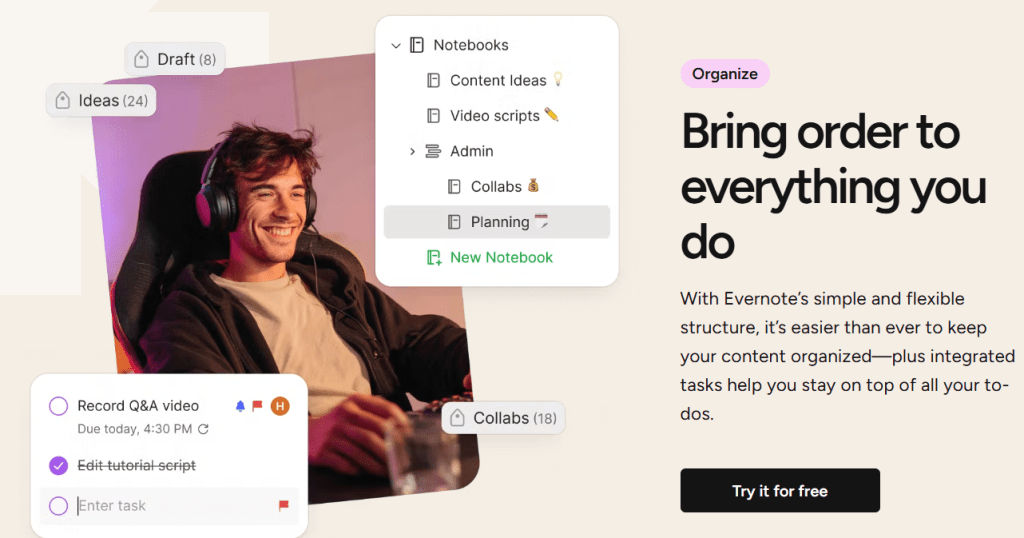
Tasks are embedded in the same place you think and plan, so a single note can hold decisions, references, and the next steps. You can add due dates, flags, and reminders, then filter across notes to see everything you owe. It is not a heavyweight project manager, but for personal execution, it keeps you honest without forcing a separate tool.
3) Calendar integration that connects prep and follow-ups
You can connect Google or Outlook Calendar so meetings show up inside Evernote with the right context. The useful idea is linking a note to an event so your agenda, decisions, and action items travel with the meeting and are easy to retrieve later. Evernote also nudges you to take notes before or after so you do not leave a meeting empty-handed.
4) Search that finds the right thing fast
Search is Evernote’s superpower. Type a query and you can surface notes, attachments, tags, and related content across devices. When notes live in one system and are properly indexed, you spend less time digging through folders or old chats. The speed improvement in 2024–2025 is noticeable, especially when you work with big accounts full of PDFs and images.
5) AI features that reduce busywork
Evernote’s AI Assistant lives where your information already sits. You can ask it to summarize a long note, extract action items, create tags, clean up formatting, draft a recap, or help you find related content. It is not a replacement for thinking, but it does remove the friction of organizing and makes your notes more useful moments after capture.
Pros and cons of Evernote
Pros
1. Quick capture everywhere, then reliable search to find it later. The core loop is strong and fast.
2. Notes, tasks, and calendar work together so meeting prep and follow-ups do not get lost.
3. AI helper that can summarize, organize, and surface related content without leaving your notebook.
4. Steady product velocity with dozens of incremental improvements shipped this year across editor performance, metadata sync, and calendar workflow.
Cons
1. Pricing climbed in 2025 which may push casual users to free alternatives if they only need basic notes.
2. Tasks are great for personal follow-through, but teams that want Gantt charts or advanced automations will still need a dedicated PM tool.
3. Calendar linking is designed to connect notes to events which is useful, but it is not trying to be a full calendar client.
Pricing
Evernote has a free tier to try the basics. Paid plans unlock the full feature set and higher limits. As of February 2025, Evernote Personal is listed at $14.99 per month or $129.99 per year and Evernote Professional at $17.99 per month or $169.99 per year in USD. Regional pricing varies by currency. Student discounts are offered on Personal, and there is an Enterprise trial for organizations. If you left Evernote years ago because of limits on the free plan, know that the paid tiers are now positioned clearly for people who work in notes every day.
How Evernote works
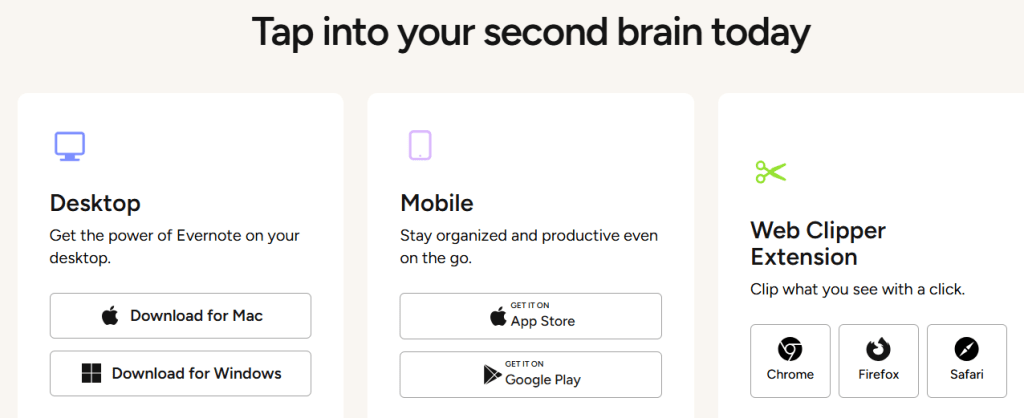
Getting started is simple. Create a new note, add your content, then search to find it later. That is the loop. On desktop and mobile, you can capture text, photos, voice, scanned documents, and web clippings. Connect your Google or Outlook calendar to attach a note to any event. Add tasks right inside the note so decisions become checkable next steps. When you need help, ask the AI Assistant to summarize a long block, propose action items, or tag notes for easier retrieval. This approach keeps context in one place which is the best way to avoid scattered work.
Security and privacy
Evernote uses industry-standard encryption in transit and forces HTTPS with TLS across its services. Email to and from Evernote supports STARTTLS when your provider allows it. The company posts ongoing security updates for transparency and provides practical tips such as enabling two-step verification on your account. As with any cloud workspace, you should use strong passwords, turn on 2-step verification, and review connected devices in your account settings.
Alternatives to Evernote
1. Notion
Notion blends documents, databases, and light project management. It is terrific for building custom workspaces and wikis. If you need flexible tables, kanban boards, and page-as-app building blocks, Notion shines. Evernote is a better fit when you want frictionless capture on the go, faster search across messy attachments, and a simpler mental model for personal execution.
2. Microsoft OneNote
OneNote is free and deep, especially for stylus users inside the Microsoft 365 world. If your day lives in Outlook and Teams and you love freeform inking and canvas-style notebooks, OneNote is hard to beat. Evernote is stronger if you want a cleaner structure out of the box, quick calendar-linked meeting notes, and AI-powered summaries inside the same note.
3. Apple Notes
Apple Notes is fast, native, and great for iPhone and Mac users who want basic lists and images with instant sync. If you never leave Apple platforms and you do not need cross-platform workflows or an AI helper, it may be enough. Evernote pulls ahead when you want a more powerful editor, advanced search across many file types, templates, and a workflow that ties meetings, tasks, and notes together.
What to expect from the app
Expect an everyday notebook that scales with your workload. Light users can jot lists and clip pages. Heavy users can run entire projects with linked meetings, structured templates, tasks, and a growing set of AI tools that save time on cleanup and recall. Performance is good, syncing large attachments is better than before, and the product team keeps shipping visible upgrades. If you are returning after a long break, you will notice a steadier, more focused product.
IBR’s review
If your goal is to think in one place and act on what you write, Evernote is easy to recommend. The note editor is fast, templates reduce setup time, and search still sets the bar for retrieving what you captured months ago. Tasks live inside the same notes, and calendar linking keeps meeting prep and follow-ups from going missing. Add the AI Assistant when you need structure or a quick recap, and you get an everyday workspace that respects your time. The only reason to hesitate is price if you only need a simple scratchpad. For students, solo operators, and small teams that actually work inside notes, Evernote earns its keep.
Ease of Use: 4.6/5
Features: 4.7/5
Template Quality and Exports: 4.5/5
Pricing and Flexibility: 3.9/5
Overall: 4.5/5
Conclusion and recommendation
Evernote in 2025 feels like a focused, helpful companion rather than a catch-all bucket. People who depend on notes to run their day will appreciate the pace of improvements and the way notes, tasks, calendar, and AI now play together. Pricing has moved up, which creates some friction for casual use, but if you live in your notebook, the value is there. Do people love and recommend it? Long-time users still do because it solves the capture-organize-recall loop better than most alternatives. New users who need more than a basic notes app tend to stick because the workflow saves real time. If that sounds like you, try the current build and decide after a week of real work.
If you are building a productivity app or a knowledge tool, you need clear positioning and consistent demand. Ikana Business Solutions helps products like yours launch and scale with laser-focused messaging, SEO content that users actually search for, and conversion playbooks that turn free trials into revenue.
See how we partner with founders and marketing teams at ikana.io.