


Contents
SwifDoo PDF isn’t just another PDF reader: it’s a full-fledged PDF productivity suite, especially beneficial for startups, small-to-medium teams, freelancers, and businesses that handle frequent PDF documents.
SwifDoo PDF provides a complete set of PDF tools, from basic editing to advanced AI-powered features. All of these tools work together to replace multiple separate apps with one single platform.
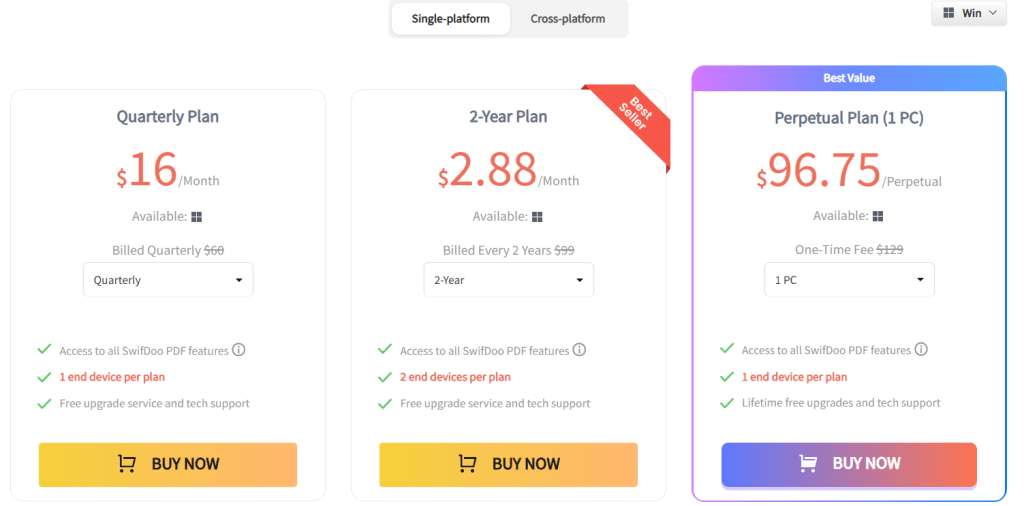
The core functionality is PDF editing. You can change text, insert images, adjust fonts, add hyperlinks, and edit content just like you do in Word. If you ever needed to fix a small typo or update a clause in a PDF, SwifDoo makes it simple.
Next comes PDF conversion. You can convert PDFs to Word, Excel, PowerPoint, images, CAD drawings, and more. This is extremely useful for repurposing documents, sharing files in different formats, or working with clients who need editable versions.
SwifDoo also includes OCR (optical character recognition). If you receive scanned invoices or photographed documents, SwifDoo can convert those into editable and searchable text. This removes the need to type everything manually.
Finally, SwifDoo includes AI-powered tools such as summarization, translation, document chat, proofreading, and rewriting. These tools help busy teams process long and complex PDFs in seconds. You can extract summaries, translate text for international clients, or understand dense legal documents faster.
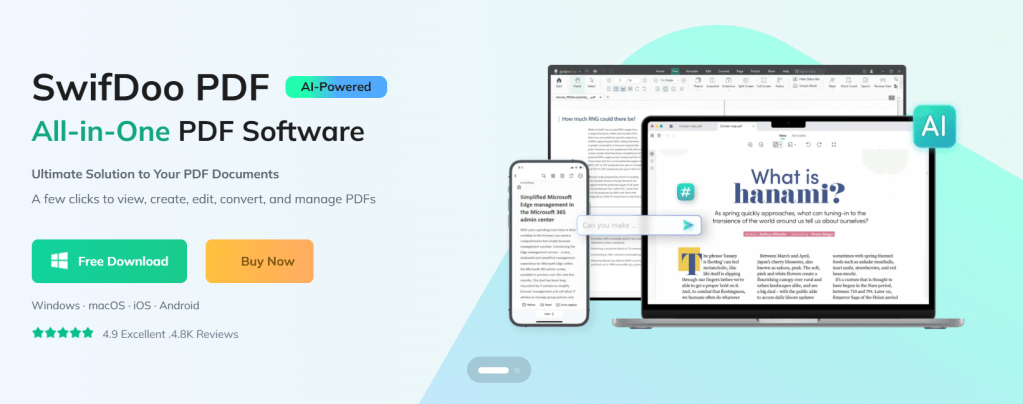
Quick App Snapshot
App Name: SwifDoo PDF
Best For: Startups, Freelancers, Small and Medium Businesses, Agencies, Remote Teams
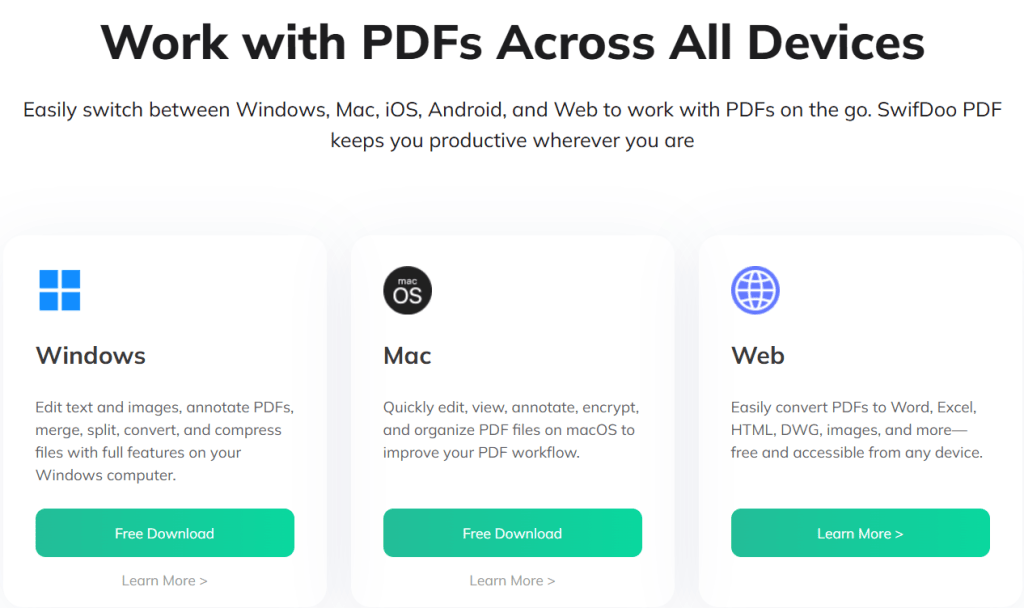
Platforms: Windows, macOS, iOS, Android, Web
Top Feature: All-in-one PDF editing, conversion, OCR, CR, and AI-powered document management
Who Is This App Really For
SwifDoo PDF is ideal for anyone who handles a large number of PDF documents and prefers not to switch between multiple tools. If your team manages contracts, invoices, design files, or reports frequently, SwifDoo will simplify your work.
Startups and small businesses that are budget-conscious can benefit from SwifDoo’s flexible pricing plans, including affordable subscriptions or a lifetime license option.
If your work requires collaboration with partners, clients, or remote employees, SwifDoo makes signing, annotating, and updating PDFs fast and hassle-free.
For businesses that receive scanned or handwritten documents often, the OCR and AI features transform these into clean, editable files and save hours of manual work.
Our Hands-On Experience
When testing SwifDoo PDF, I uploaded a 40-page contract that included tables, images, and layout elements. It opened almost instantly because of its lightweight design. Editing sections of the contract, adjusting formatting, and adding a signature were smooth and took less than five minutes.
I then tested the conversion feature by converting the PDF to Word. The layout, styling, and fonts were preserved surprisingly well. After making additional edits in Word, converting it back to PDF maintained the formatting with almost no distortion.
Next, I tried OCR on a scanned invoice. SwifDoo extracted the text with high accuracy and allowed easy editing without the need to retype handwritten lines.
Finally, I used the AI summarization on a 25-page investor pitch deck. Within seconds, it created a short and clear summary, which is extremely helpful for founders or managers who do not have time to read full documents.
Overall, the experience felt fast, intuitive, and practical for business purposes.
Features of SwifDoo PDF
PDF Editing and Annotation
SwifDoo lets you edit text, insert images, change fonts, add links, and modify PDFs with ease. This helps make quick updates to documents without recreating them from scratch.
PDF Conversion
SwifDoo converts PDFs into Word, Excel, PPT, images, and CAD formats. This is useful when different file types are needed for clients, presentations, or printing.
OCR and Scanned Document Processing
SwifDoo converts scanned documents and image-based PDFs into editable and searchable text. This helps with bookkeeping, data entry, and maintaining digital archives.
AI Tools for Summarization and Translation
Long and complex PDFs can be summarized. Text can be rewritten or translated. This is helpful for global teams, cross-border clients, and quick document understanding.
E-Signature and Document Security
You can add signatures and password-protect important files. This is especially useful for financial or legal documents.
PDF Management Tools
SwifDoo allows merging, splitting, compressing, reordering pages, and organizing files, which improves team workflows.
Pricing of SwifDoo PDF
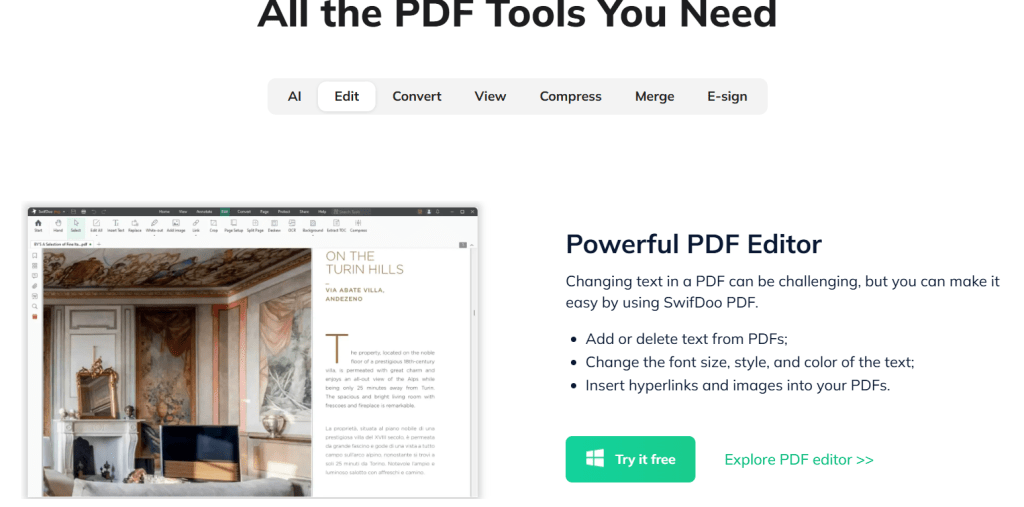
SwifDoo offers multiple pricing options suitable for different needs.
1. Quarterly Plan
Around 16 USD per month, billed quarterly.
2. Two-Year Plan
Equivalent to around 2.88 USD per month billed upfront for two years.
3. Perpetual One-Time License
A lifetime license for one PC priced at 96.75 USD. This includes lifetime access and free updates.
A free trial or free version is also available for users who want to test the tool before upgrading.
Pros and Cons of SwifDoo PDF
Pros
SwifDoo combines editing, OCR, conversion, annotation, and signing in one place. It opens quickly even on basic computers. The AI features, such as summarization and translation, add significant value. Cross-device support makes it useful for remote and hybrid teams. Flexible pricing helps budget-conscious businesses.
Cons
Some users reported occasional crash issues or installation problems on certain machines. A few advanced features are more limited on macOS compared to Windows. For large teams, per-device licensing may feel more expensive than large enterprise plans from bigger vendors.
Alternatives to SwifDoo PDF
1. Adobe Acrobat Pro
Adobe Acrobat is a powerful enterprise-level tool with advanced features like form creation, team collaboration, and top-tier security. It is more expensive and heavier than SwifDoo but preferred by enterprises.
2. PDFelement
PDFelement offers editing, OCR, conversion, and annotation features similar to SwifDoo. It is stable, polished, and popular among professionals, although SwifDoo may be more affordable and simpler for small teams.
IBR Verdict: Should You Use It or Skip It
Our Rating: ⭐⭐⭐⭐☆
SwifDoo PDF is an excellent choice for startups, small teams, freelancers, and agencies. If your work involves editing, signing, summarizing, translating, or converting PDF documents frequently, SwifDoo will save you time and reduce tool switching.
It offers great value, strong features, and smooth performance without heavy system requirements. For most small and mid-sized businesses, SwifDoo is a smart and cost-effective choice.
If you require advanced enterprise workflows or heavy collaboration features, alternatives like Acrobat or PDFelement might be better suited.
Try SwifDoo PDF using their free version and test it on your daily documents. See how much time you save by having all your PDF tools in one place.
You can read similar app reviews on ikanabusinessreview.com.
Need help building a website or app for your business?
Contact us at ikana.io

