In the race to stay ahead in business, speed, efficiency, and innovation are non-negotiable. And guess what?
OpenAI has just put all three in your hands literally.
The OpenAI mobile app, powered by GPT-4, isn’t just a chatbot for techies and coders. It’s a strategic business assistant, marketing companion, and creative partner all rolled into one slick interface.
Whether you’re a startup founder juggling many roles, a marketing manager trying to scale campaigns, or a business analyst looking to automate tasks, this app is built to make your professional life smarter, faster, and sharper.
OpenAI
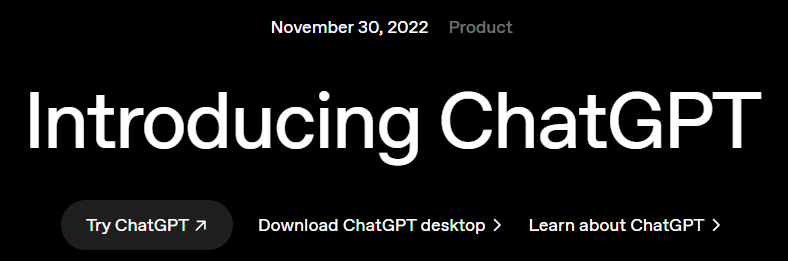
The OpenAI App is the official mobile interface for accessing OpenAI , the AI model that’s been revolutionizing how we think about content creation, automation, customer support, and even decision-making.
The app runs on GPT-3.5 for free users and GPT-4-turbo for paid users — meaning better reasoning, deeper responses, and faster output if you upgrade.
It works like a chat app, but instead of talking to your team, you’re talking to the smartest virtual team member you’ve ever met. It can brainstorm, write, analyze, summarize, code, strategize, and even create visuals if you link it with DALL·E or Code Interpreter.
How Businesses and Marketers Are Using OpenAI
Let’s get real — this isn’t just a toy or content gimmick.
The OpenAI App is now a daily driver for high-performing business teams. Here’s how:
A. Marketing Strategy & Campaign Planning
Running out of fresh campaign ideas? Need to repurpose content across formats? The app helps you brainstorm marketing campaigns, ad copy, email sequences, and landing page text on the fly.
Example prompt:
“Generate a 3-week email drip campaign for our new SaaS product targeting HR managers in mid-sized tech companies.”
Boom. 10 seconds later, you’re looking at subject lines, body copy, CTAs, and sequencing.
B. Business Research & Market Insights
Ask ChatGPT to summarize market reports, compare competitors, or identify emerging trends. It’s like hiring a McKinsey intern, without the salary.
Prompt:
“Summarize the top trends in D2C ecommerce in the US and how small businesses can take advantage.”
You’ll get a 500-word breakdown, complete with actionable strategies.
C. Brainstorming & Innovation
Stuck on a brand name? Don’t like your positioning statement? Need a new slogan? The app doesn’t just offer options — it helps you refine ideas based on tone, emotion, audience, and length.
Prompt:
“Suggest 10 brand names for a sustainable pet food startup. Keep them fun, fresh, and memorable.”
D. Internal Process Automation & Docs
Drafting internal SOPs, HR emails, onboarding guides, or investor updates? Feed the app your bullet points, and you’ll get polished, professional documents in minutes.
Prompt:
“Write an onboarding welcome email for a new remote product manager joining our team.”
Yes, it even includes a warm tone, a few emojis, and reminders for their first week.
E. Data Interpretation (with GPT-4-turbo)
Upload spreadsheets, charts, or even PDFs (using ChatGPT Plus). Ask for summaries, trends, inconsistencies — it’s like having a junior data analyst 24/7.
Prompt:
“This Excel shows our Q1 sales. What regions are underperforming and why might that be?”
The analysis? Surprisingly detailed.
Features That Marketers & Business Users Love
1. Custom Instructions
You can now tell OpenAI ChatGPT how you want it to respond and what it should know about you. For example:
- “I run a B2B SaaS company targeting SMBs in the healthcare sector.”
- “Respond in a confident but witty tone.”
This means your answers are not just accurate — they’re relevant and branded.
2. Mobile-First, On-the-Go Efficiency
The mobile app is clean, responsive, and built for real work on the move. Dictate prompts, upload files, and even toggle between different threads easily.
Fun hack: Use voice commands while walking or commuting. It’s like turning your coffee run into a productive meeting.
3. Memory (Beta Feature)
Once enabled, OpenAI ChatGPT remembers details about you across conversations. Think of it like a smart assistant who never forgets:
- Your business type
- Writing style
- Team size
- Products you offer
This deep personalization makes follow-up chats more relevant and effective.
4. Plugin Support & Code Interpreter
For paid users, the ChatGPT App supports plugins, like:
- Expedia for travel
- Zapier for workflows
- Wolfram Alpha for complex calculations
- Web browsing (Pro users only)
Also, the Advanced Data Analysis (Code Interpreter) lets you run Python code on your data, analyze anything without needing a data team.

Pricing for OpenAI
Let’s talk about pricing.
| Plan | Cost | Key Features |
| Free | $0 | GPT-3.5 access, limited features |
| ChatGPT Plus | $20/month | GPT-4 Turbo, faster responses, custom instructions, file uploads, plugins, image generation, memory, and advanced data tools |
For business users, $20/month is a steal. Seriously, you can fire up 10 mini-projects a day and get full-scale strategy docs, emails, reports, and ideas in return.
Strategic Tips to Use OpenAI
1. Create Prompt Templates
Save your best prompts for repeat tasks — campaigns, research, customer support replies, etc. You’ll move 10x faster.
2. Train Your Teams on Use Cases
Don’t just hand over the app — create SOPs and internal guides for how marketing, sales, and operations teams can use it.
3. Combine It with Your Stack
Use OpenAI in tandem with tools like:
- Slack (for summaries and quick replies)
- Notion (for project notes and wikis)
- Zapier (for automation workflows)
- Trello or ClickUp (for task creation via prompts)
Test Ideas Before Spending
Thinking of launching a new service? Use the app to test positioning, create a basic landing page copy, and simulate buyer objections. Validate early — pivot faster.

Everyday Uses of OpenAI ChatGPT
1. Personal Productivity & Organization
- Task Management: Generate to-do lists and prioritize tasks
- Scheduling: Plan daily or weekly schedules tailored to your commitments
- Email Drafting: Compose professional emails or responses quickly
2. Creative Writing & Content Generation
- Blog Posts: Draft articles on various topics
- Social Media Content: Create engaging captions and posts
- Storytelling: Develop narratives or scripts for videos and presentations
3. Learning & Skill Development
- Language Practice: Engage in conversations to practice new languages
- Concept Explanation: Break down complex topics into understandable summaries
- Study Aids: Create flashcards or quizzes for exam preparation
4. Health & Wellness Guidance
- Meal Planning: Design nutritious meal plans based on dietary preferences
- Exercise Routines: Suggest workouts tailored to fitness goals
- Mental Well-being: Offer mindfulness exercises or stress-relief techniques
5. Travel & Leisure Planning
- Itinerary Creation: Plan trips with recommended activities and sights
- Budgeting: Estimate travel expenses and suggest cost-saving tips
- Local Recommendations: Find top-rated restaurants or attractions in a specific area
Popular ChatGPT Prompts
Here are some effective prompts to maximize ChatGPT’s capabilities:
1. Presentation Preparation:
“Generate a two-minute script on [topic] focusing on [objective] for a shareholder presentation.”
2. Resume Enhancement:
“Review my CV and suggest edits to make me more appealing for a [job title] role.”
3. Content Summarization:
“Summarize this transcript: [insert transcript]. Then, create questions based on its content.”
4. Market Research:
“Provide market research on [topic] targeting audiences in the southwest region of [country].”
5. Meal Planning:
“Design a one-week meal plan incorporating various proteins and vegetables, with recipes under 30 minutes.”
6. Coding Assistance:
“Continue writing this JavaScript code: [insert code].”
7. Music Composition:
“Write a song in the pentatonic scale using 4/4 time, inspired by [artist/song].”
By integrating OpenAI into your daily routine, you can streamline tasks, foster creativity, and enhance the learning experience.
Whether you’re drafting a professional email, planning a trip, or seeking creative inspiration, ChatGPT serves as a versatile tool to assist you.
IBR Verdict – Is OpenAI Worth Downloading?
Absolutely.
The OpenAI app isn’t just an AI chatbot — it’s a strategic, scalable resource that enhances creativity, productivity, and precision in business.
- For founders, it helps build faster.
- For marketers, it helps create better.
- For consultants, it helps deliver faster.
- For teams, it helps them collaborate smarter.
If Google gives you answers, OpenAI delivers outcomes. However, always double-check any statistics or information it provides about specific websites to ensure accuracy.
Conclusion
If you’re a business user still on the sidelines, wondering if the OpenAI app is just another tech trend, it’s time to reconsider.
The companies using AI now aren’t just experimenting. They’re getting ahead. The only drawback IBR observes is that OpenAI sometimes provides inaccurate statistics or information that doesn’t align with the original data found on specific websites.
So grab your phone, download the app, and prompt your way to a smarter business future.
Because in today’s world, you’re not just competing with other companies, you’re competing with companies using AI better than you.
Have you tried the OpenAI App for your business?
What’s your favorite use case?
Share it with us — we might even feature your story in our next blog.
Also read- OpenAI’s Balancing Act