

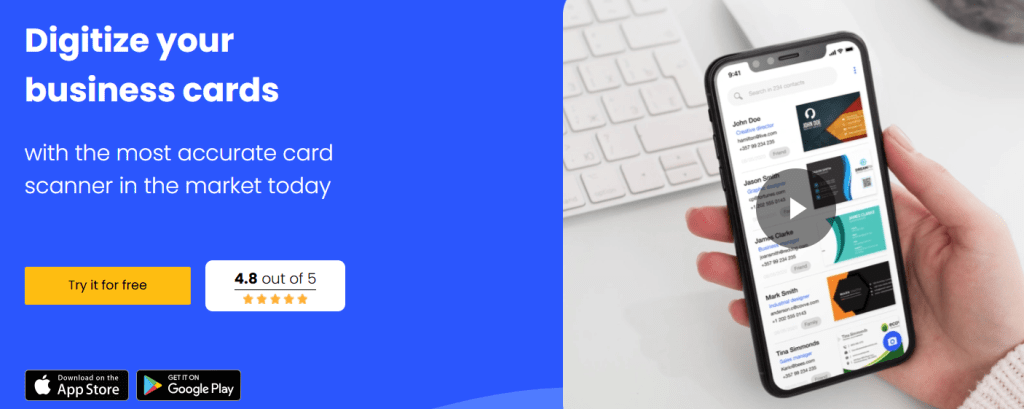
Covve Card Scanner, also known as Covve Scan, is a mobile and web-accessible tool designed to eliminate the manual labor of entering contact details from physical business cards. At its core, it uses advanced artificial intelligence and optical character recognition (OCR) to scan business cards and QR codes accurately in over 30 languages, transform them into digital contacts, and organize them into searchable contact databases.
The product is part of the broader Covve ecosystem, which also includes personal relationship management and digital business card creation tools.
For business owners, founders, sales teams, and freelancers, Covve offers a practical solution to digitize networking efforts and integrate these contacts with customer relationship management (CRM) systems such as Salesforce, HubSpot, Zoho, and others via Zapier, helping teams reduce data entry work, minimize lost contacts, and maintain organized lead follow-ups.
In high-networking environments such as conferences, trade shows, or regular client meetings, Covve can be a time-saving tool that shifts business card handling from a drawer of paper to a searchable, exportable database.
Quick App Snapshot
App Name
Covve Card Scanner (often referenced as Covve Scan)
Best For
Sales teams, event professionals, founders, business owners, freelancers, marketers
Platform
iOS, Android
Top Feature
AI-Powered Business Card Scanning with CRM Export
Our Hands-On Experience
During hands-on testing of Covve Scan, the experience of capturing contacts from real business cards was notably fast and accurate. Cards photographed through the app were typically digitized within 2–3 seconds, and the OCR engine filled in fields including name, title, company, email, phone number, and even location.
The scanner worked reliably across different card designs and formats, including ones with minimal contrast or styled fonts. Tested scans in languages other than English also demonstrated consistent recognition, matching Covve’s claims of multilingual accuracy.
Exporting scanned contacts to Google Contacts, Excel, and CRM systems was straightforward with clearly labeled options. The tagging and notes feature allowed contextual data, such as the event where the card was collected, to be stored against each contact, making follow-up organization easier.
Time to first meaningful result (i.e., contact fully digitized and saved): approximately 2–3 minutes for a batch of 10 cards, faster than manual entry and more accurate than most generic OCR tools tested.
Features of the Covve Card Scanner
1. Accurate, AI-Powered OCR Scanning
Covve uses artificial intelligence to read business cards with industry-leading accuracy, supporting more than 30 languages. It automatically recognizes text and fields, which saves manual re-typing and reduces errors.
Why it matters: A professional scanner minimizes post-scan cleanup, which is crucial for teams that capture large volumes of contacts at events.
2. Multi-Source Lead Capture
The app scans business cards, QR codes from digital profiles, and event badges. It then digitizes these details into structured contact entries.
Why it matters: Users don’t need separate tools for physical cards and QR codes; everything funnels into one repository.
3. CRM Integration & Export
Covve integrates with CRM platforms like Salesforce, HubSpot, Zoho, Pipedrive, or through Zapier, allowing easy sync of contacts into sales workflows.
Why it matters: Eliminates manual exports/imports and keeps sales pipelines updated with new leads.
4. Organize, Tag, and Notes
Users can add tags, notes, and location to cards, making it easier to sort and retrieve contacts.
Why it matters: Adding context to contacts helps with personalized follow-ups and deadlines.
5. Export & Share Capabilities
Scanned contacts can be exported to platforms like Excel, Outlook, or Google Contacts, and shared with team members or assistants.
Why it matters: Works with existing workflows instead of trapping data inside one tool.
Pricing of the Covve Card Scanner
Covve Scan offers multiple purchase options directly from the official site:
Free Trial
All features are available for 14 days at no cost.
Unlimited Annual Subscription
$109.99 per year for unlimited card scanning.
Unlimited One-Off Lifetime License
$239.99 one-time purchase for unlimited scans forever.
(Note: G2 lists additional business pricing for enterprise solutions up to approximately $300 per seat per year, but the official page’s core scanner pricing is as above.
Pros and Cons
Pros
1. High scanning accuracy across 30+ languages.
2. Integrates with major CRMs and exports to common contact lists.
3. Supports QR code and event badge scanning.
4. Organizing tools like tagging and notes improve categorization.
5. Clean, easy-to-use interface for beginners and experienced users.
Cons
1. The free tier is limited in the number of contacts or advanced exports.
2. One-off lifetime license cost is higher up-front compared to some competitors.
Alternatives to the Covve Card Scanner
1. Popl — A contact and digital business card platform focusing on extensive customization and social media integration. It emphasizes sharing beyond traditional scanning but may require higher pricing for advanced CRM integrations.
2. HiHello — A business card app with strong customization options and multiple card formats. HiHello’s strength is in personalization and sharing flexibility, though it may not match Covve’s CRM export ecosystem as tightly.
3. Haystack — A simpler business card scanner with basic features and often lower entry pricing. Best for individuals or small teams that do not yet need sophisticated CRM workflows.
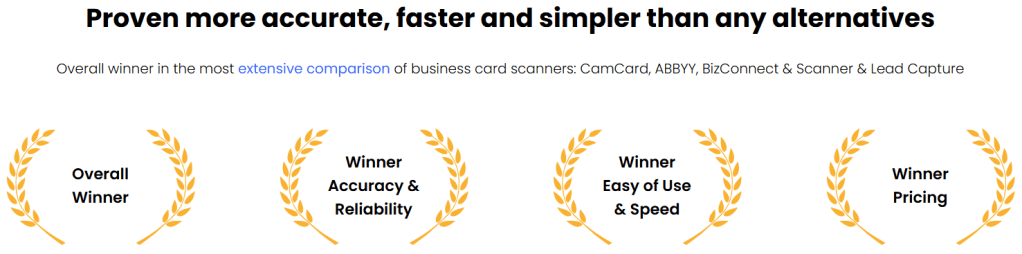
Each competitor offers different balances of price, customization, and utility. Covve’s advantage is its focus on accurate scanning and CRM compatibility combined with export flexibility.
IBR’s verdict: Should You Use the Covve Card Scanner?
Our Verdict: ⭐⭐⭐⭐☆
Covve Card Scanner is a robust and reliable tool for professionals who collect contacts frequently and want to maintain a centralized, searchable, and connected database. It performs exceptionally well for conference attendees, sales teams, and founders who need fast scanning, accurate capture, and seamless export to CRM or contact lists.
For individuals or small teams that rarely collect business cards, the free experience might be sufficient. For growth-oriented teams and businesses with regular networking demands, the paid options deliver real ROI by saving hours of manual entry.
“If you collect business cards often and want to eliminate manual contact entry while integrating smoothly with your CRM, Covve Scan is a solid choice.”
Explore Covve’s Scanner & Lead Capture tool directly on the official site and try the 14-day free trial to evaluate its fit for your networking workflow
If you would like feature comparisons with similar apps or a demo of tools tailored for your startup’s needs, contact us through ikana.io, or check other reviews already on ikanabusinessreview.com.
Let me know if you’d like a formatted blog draft ready for publication.



Please sign in to leave a comment.